Performance
Next.js performance optimization: lessons from real projects
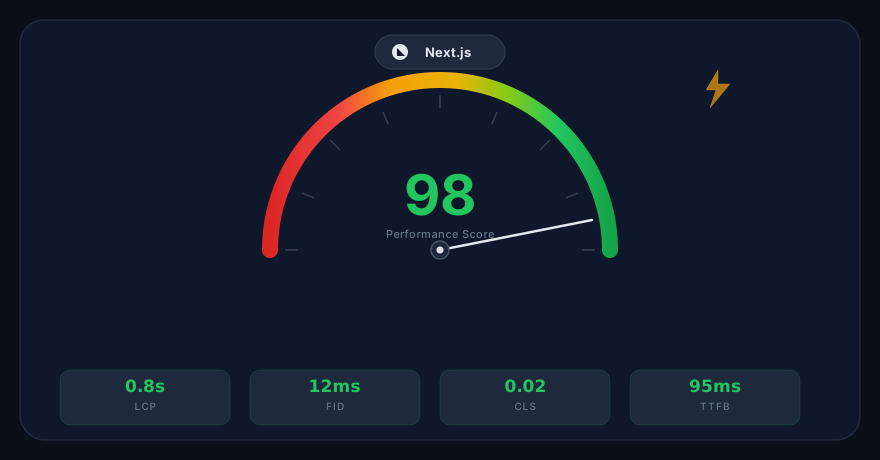
Performance work in Next.js is not a single tweak. It is a sequence of small, compounding decisions that shape Core Web Vitals, perceived speed, and long-term stability. In real projects, the fastest wins come from profiling the user journey and fixing bottlenecks that repeat on every page view.
This article summarizes the lessons we see most often: how images, fonts, caching, and rendering strategies interact, and how a few disciplined choices can make a site feel instantly more responsive.
Related services: Complimentary Website Audit
1. Start with the slowest, most visited pages
Many teams optimize an internal demo page and call it done. Instead, profile the pages that receive the most traffic and generate revenue. If the homepage, pricing, or blog template is slow, those are the first targets because fixes there reduce friction for the largest audience.
2. Make images do less work
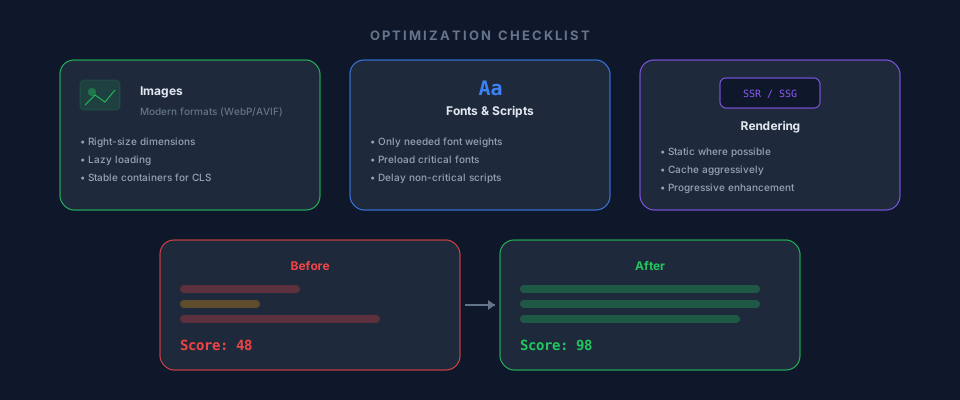
The easiest performance wins usually come from images. Use modern formats, keep dimensions realistic, and avoid shipping 2-3x larger assets than the layout needs. For decorative visuals, prioritize compression over pixel perfection. For product screenshots, ensure the container size is stable so the layout does not shift while loading.
3. Audit fonts and third-party scripts
Fonts and third-party scripts are common hidden costs. Use only the font weights you actually display, preload critical fonts, and avoid loading full icon packs when a few SVGs would do. For analytics and marketing tags, delay non-critical scripts until the main content is interactive.
4. Choose rendering strategies intentionally
Server-rendered content is great for fast first paint, but client-side data fetching can still block interaction. Use static generation or caching where possible. If a page is personalized, keep the critical content server-rendered and progressively enhance the rest.
5. Measure, then lock in wins
Run Lighthouse or WebPageTest after each change, and compare before/after. The goal is not a perfect score; it is stable performance under real conditions. Once a fix helps, make it part of the system so future pages inherit the improvement.
Key takeaways
- Optimize the pages that matter most, not just the easiest ones.
- Right-size images and prevent layout shifts with stable containers.
- Ship fewer fonts and delay non-essential scripts.
- Match rendering strategy to content criticality and update frequency.
- Measure regularly and bake wins into reusable patterns.
When to use this approach
Use this checklist when a Next.js site feels sluggish, when Core Web Vitals fall below target, or when a new release adds noticeable load time. It is especially helpful for marketing sites and SaaS apps where speed directly affects conversion.
Related reading: How to choose a web development company in Bangladesh (practical guide)
Have a project in mind?
We would love to hear about it. Get a free consultation from the GrayVally team.
Start a conversation